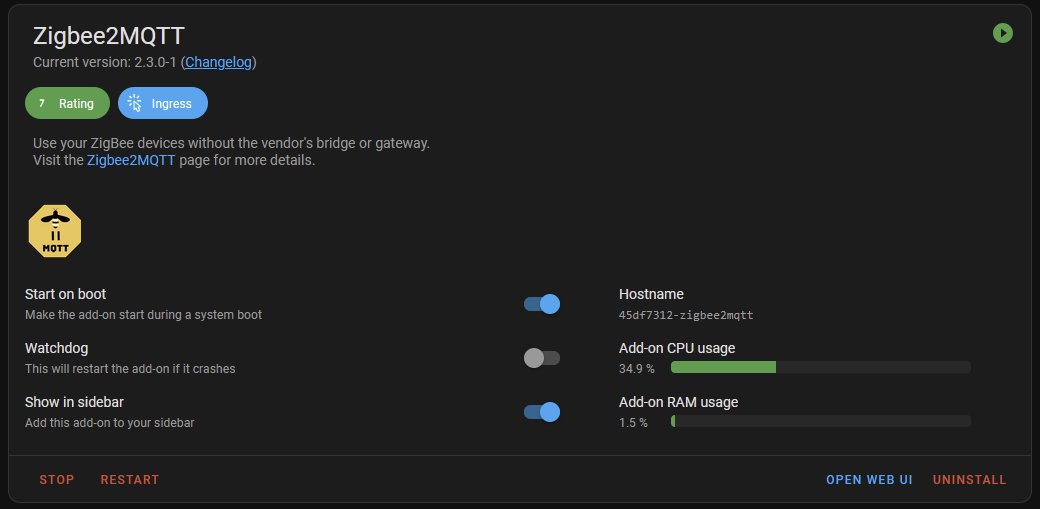
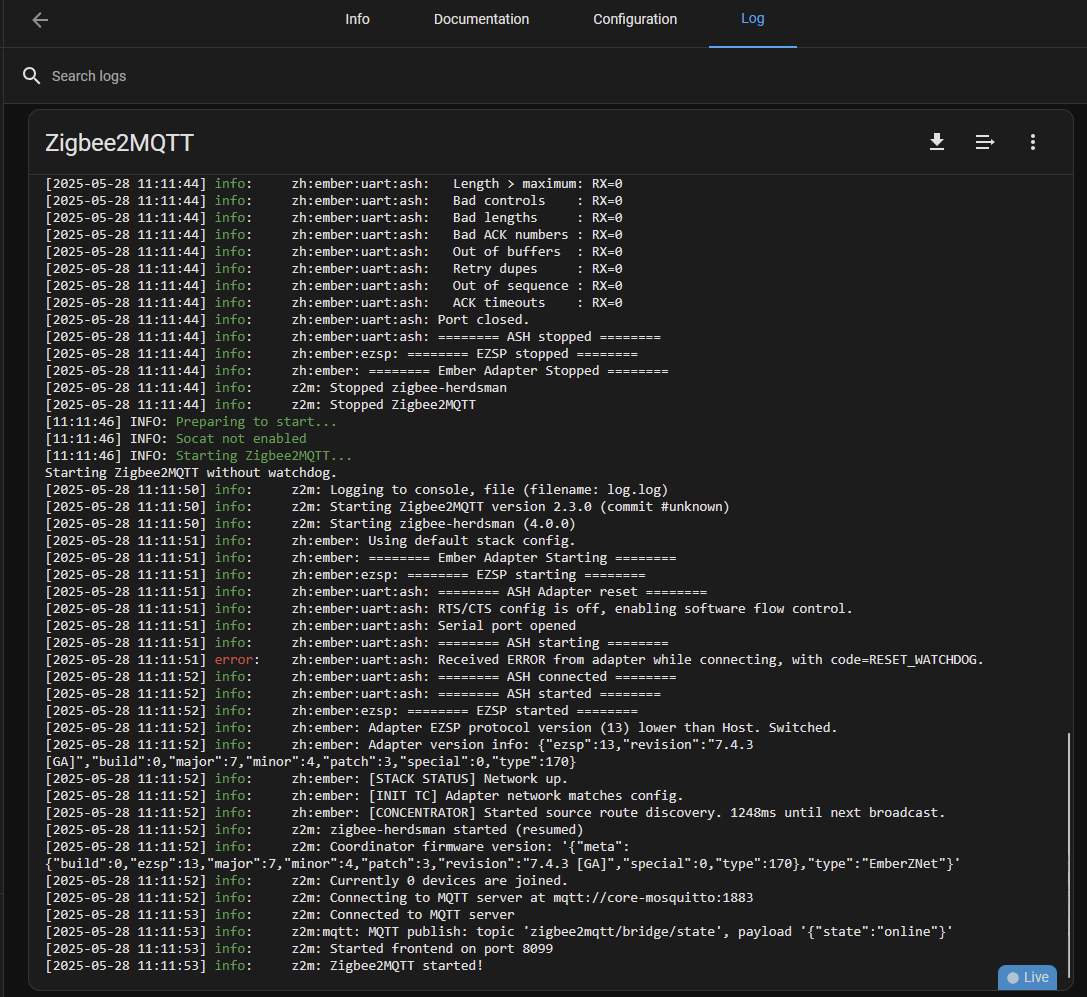
Zigbee2MQTT is a addon that can be installed instead of utilizing the base Zigbee integration in Home Assistant which is one possible option to using Zigbee in Home Assistant. This guide is meant to be straight forward without any alternative customization.
Requirements:
- Zi-Stick
- Home Assistant Supervisor / OS
First update Zi-Stick to 7.4.4
The Zi-Stick will need to be updated to the latest firmware version available as the EZSP adapter is now depreciated. You'll need Ember adapter support which requires EZSP V13 or later.
You can find the guide to updating Zi-Stick here: https://aeotec.freshdesk.com/support/solutions/articles/6000270951-update-zi-stick-to-thread-or-zigbee-with-python-3-9-and-windows
The guide will use Python + Elelabs utility to perform the firmware update over your Zi-Stick.
Zigbee2MQTT installation to Home Assistant Addon
You can find the official instructions to installing Zigbee2MQTT here: https://github.com/zigbee2mqtt/hassio-zigbee2mqtt#installation
1. Install the MQTT broker first
- In Home Assistant go to Settings -> Add-ons -> Add-on store
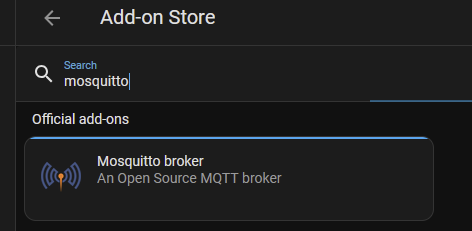
- Search "Mosquitto broker" then install and start it - give it a minute before continuing on to ensure its fully installed
- Then go to Settings -> Device & services

- ADD MQTT under the Discovered list.
- ADD MQTT under the Discovered list.
2. Install Zigbee2MQTT
- In Home Assistant go to Settings -> Add-ons -> Add-on store

- Click on "ADD-ON STORE" button at the bottom right.
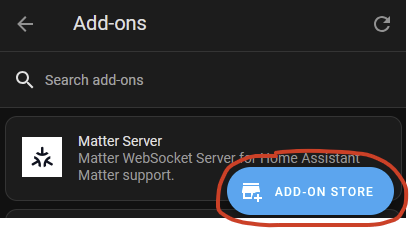
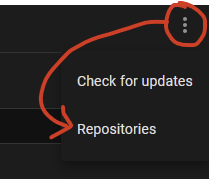
- Click on the 3 dot icon (More Options) at the top right
- Click on "Repositories"
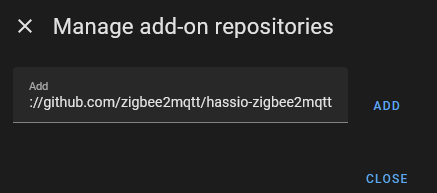
- Input:
https://github.com/zigbee2mqtt/hassio-zigbee2mqtt - Click ADD then close the repository manager
- Search and install one of these two options:
- Zigbee2MQTT - the base stable version of Z2M (recommended for most users)
- Zigbee2MQTT Edge - somewhat like a beta version that follows the dev branch that may contain features and fixes not presented in the stable version.
- Click on Install - then give it a minute for download and installation.
Zigbee2MQTT configurations
Once Zigbee2MQTT is installed, you'll need to configure Zigbee2MQTT before you can start it.
1. Determine the serial port of the Zigbee port of Zi-Stick (it should be the first serial port as /dev/ttyUSB0 unless you have other USB serial adapters connected)
- Go to Settings -> System -> Hardware -> All Hardware
- The device path is either one of these two options:
- /dev/ttyUSB0 or /dev/ttyUSB1 (or a higher number depending if you have any other USB serial devices connected)
- /dev/zigbee
2. Input the Zigbee2MQTT configurations
- Go to Settings -> Add-ons -> Zigbee2MQTT
- Then select the "Configuration" tab
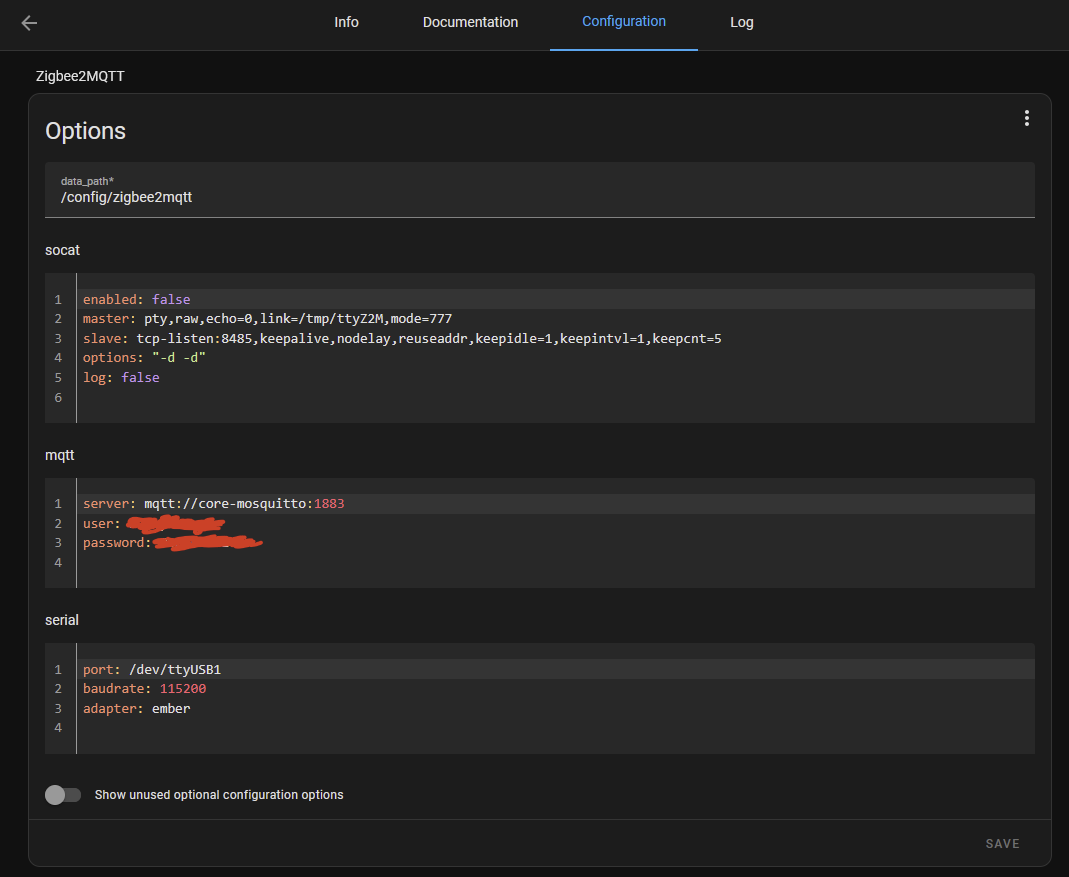
- Input these settings under each section
mqtt
server: mqtt://core-mosquitto:1883
user: <HA Username>
password: <HA Password>
serial (if using newer Zigbee firmware - Link - Zigbee Update)
port: /dev/ttyUSB1
baudrate: 115200
adapter: ember - Then click on Save
3. Zigbee2MQTT Boot it up
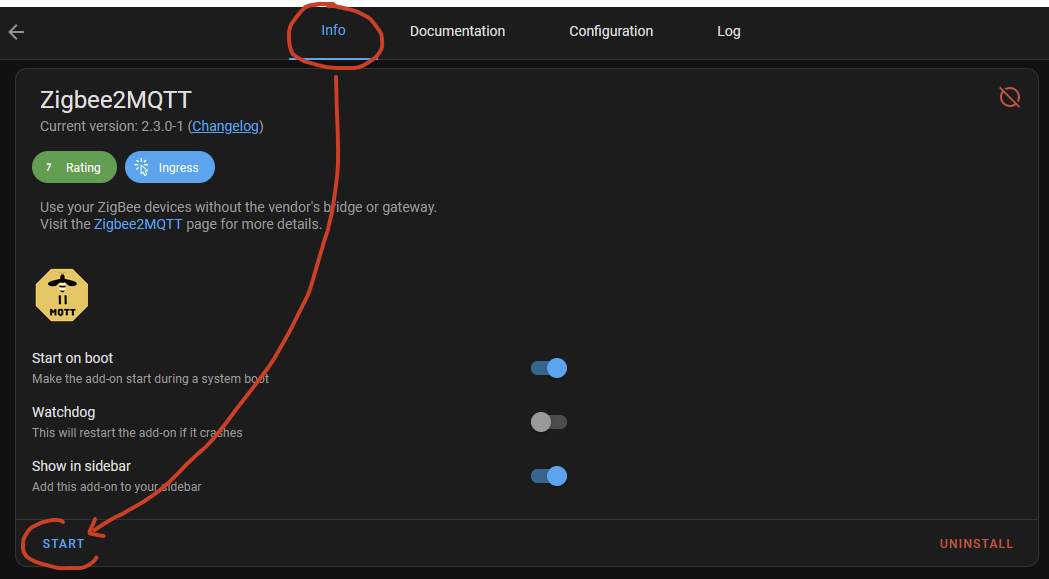
- Click on the "Info" tab
- Optionally - enable "Show in sidebar" to have easy access to Zigbee2MQTT in your Home Assistant menu
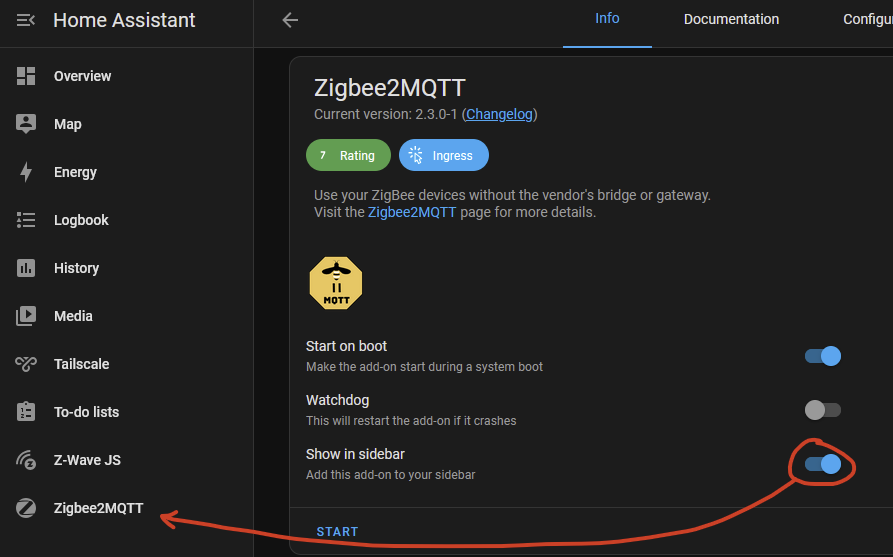
- Click on START to initialize Zigbee2MQTT
4. Zigbee2MQTT should boot up completely after a few minutes.